A second pair
of eyes.
An AI review prototype built by MKTR, bringing suggested feedback, source material and teacher approval into one place.
Prototype · General Paper & H1 Chinese
Review the thinking.
Keep your judgement.
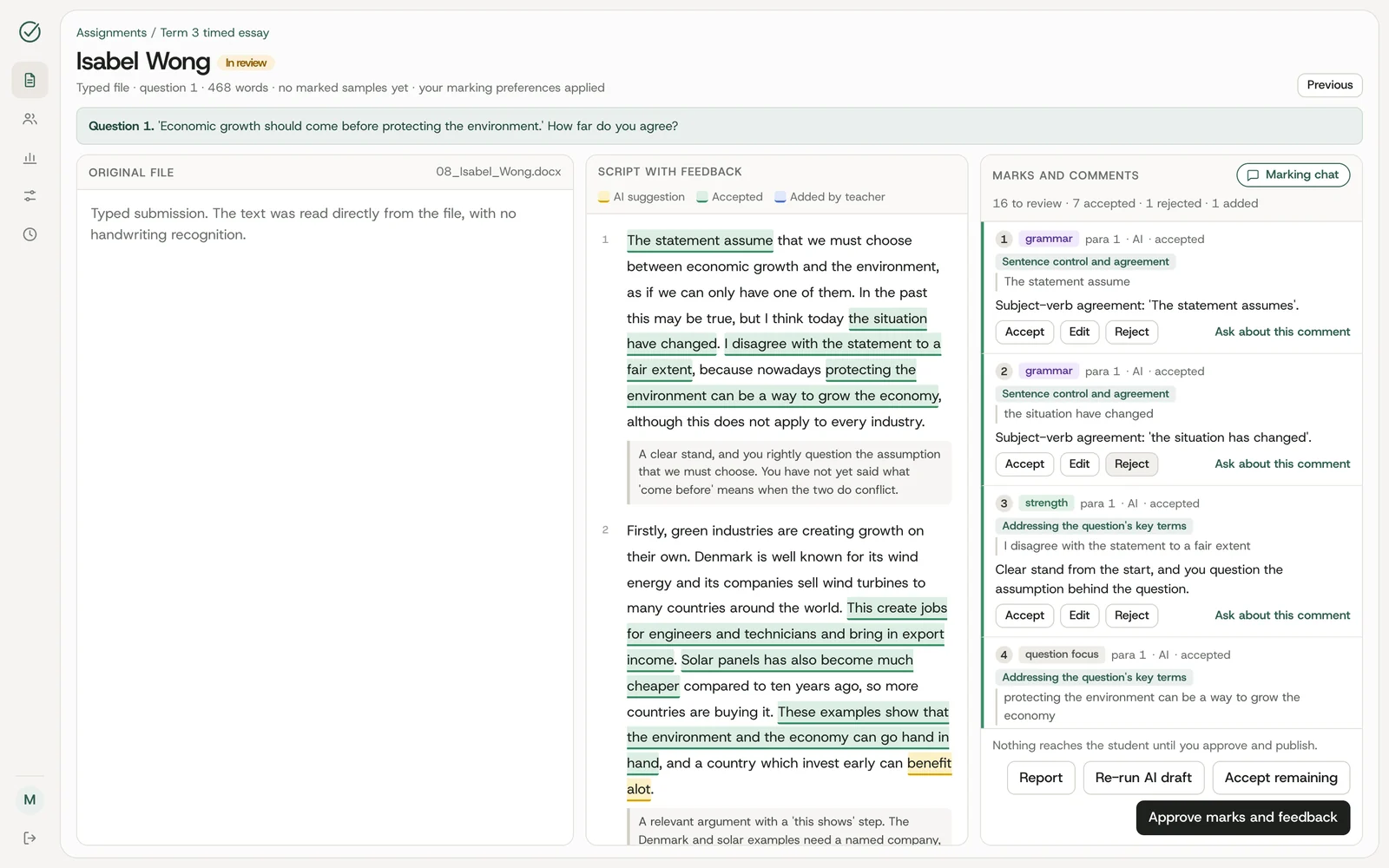
Markly AI places the script, suggested feedback and marks together, so a teacher can inspect the work in context.
-
Bring in a script
Work through the assignment and marking criteria in the demonstration.
-
Review the draft
Inspect suggested comments and marks against the student's work.
-
Make it yours
Accept, edit, reject or add feedback. The suggestion is a starting point.
-
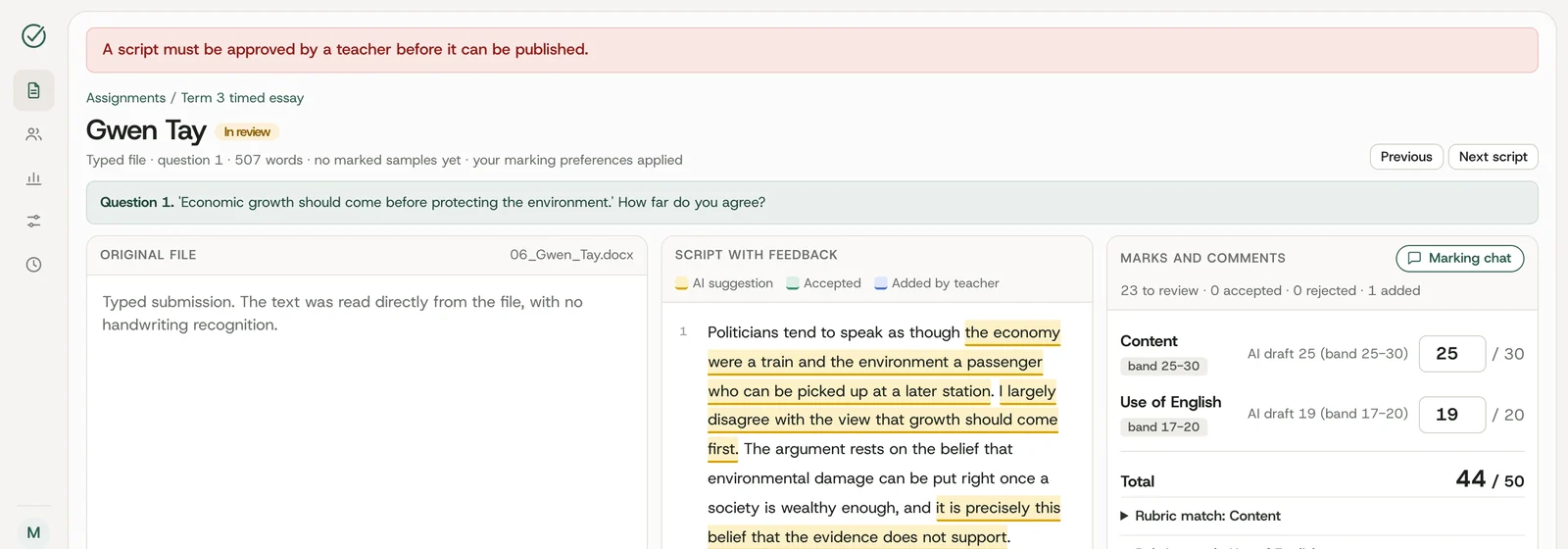
Approve publication
Teacher approval is required before a script is published to the student.
The last word
belongs to the teacher.
The prototype blocks publication when a script has not been approved. This is part of the workflow, not just a line of copy.
A specific workflow.
A wider possibility.
The current demonstration covers General Paper and H1 Chinese. It uses synthetic student data, so you can explore the workflow without bringing student records.
The same design pattern can support other review processes: put the source, a proposed result and the approval decision together. A custom build starts with the rules and responsibilities of your team.
Your workflow.
With useful AI.
Tell us where a suggestion, a faster review or a better connection could help your team.
Discuss your project